If you run a business in Prague, your visibility on Google Maps directly impacts your success. When potential customers search for what you offer, appearing prominently on Google Maps means more phone calls, more walk-ins, and more revenue.
This comprehensive guide covers everything Prague business owners need to know about Google Maps visibility—from the fundamentals to advanced strategies used by top-performing local businesses.
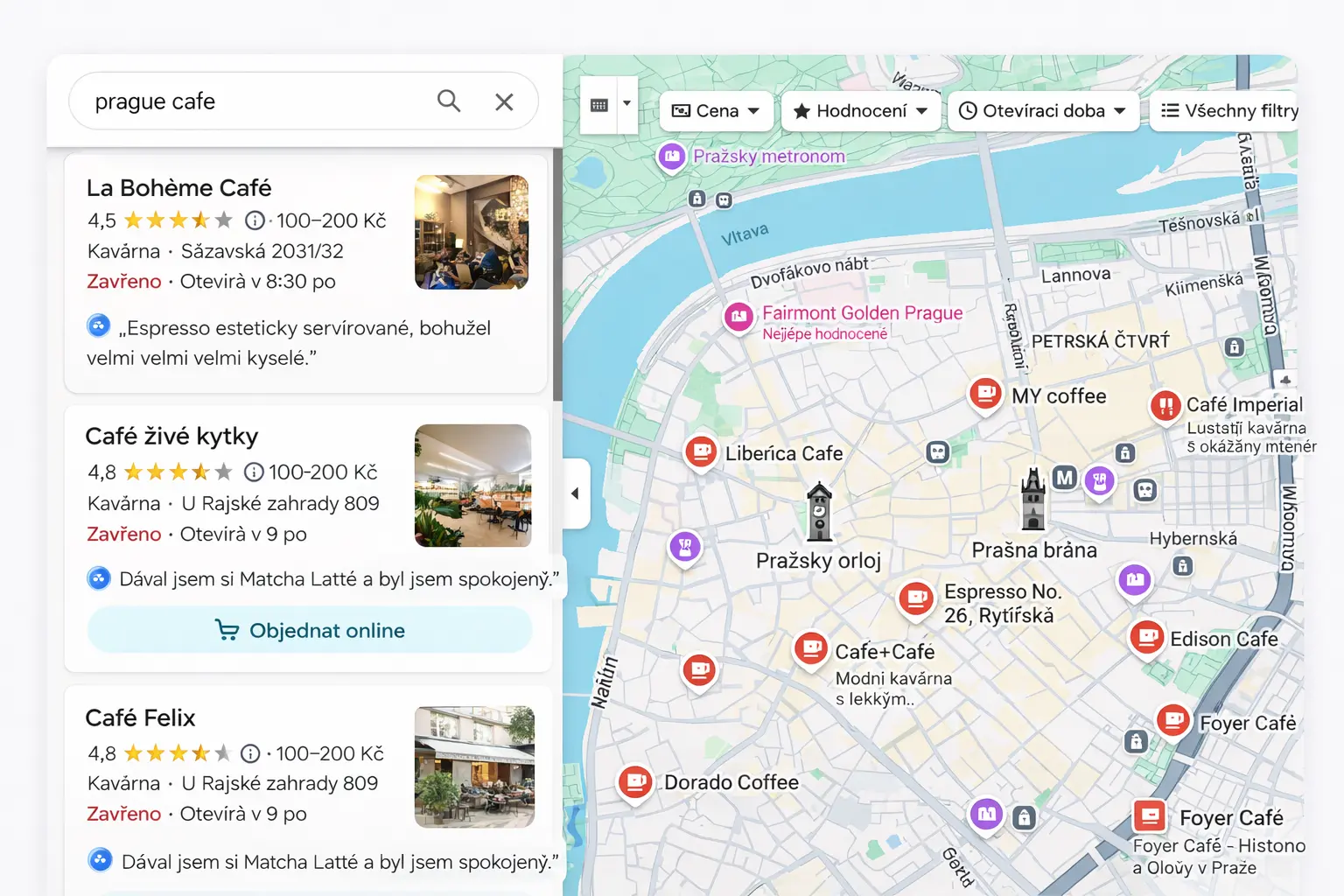
Why Google Maps Visibility Matters in Prague
Prague is a city of over 1.3 million residents, plus millions of tourists annually. Whether your customers are locals or visitors, most of them start their search for businesses on Google.
The Numbers That Matter
- 92% of consumers use Google to find local business information
- 76% of people who search for something nearby visit a business within 24 hours
- 28% of local searches result in a purchase
- 88% of consumers trust online reviews as much as personal recommendations
Local search behaviour in numbers
Share of consumers, in percent, behind the case for local SEO.
Source: BrightLocal local SEO statistics
The Prague Market Context
Prague's market has unique characteristics:
High competition: Popular areas like Prague 1, 2, and 3 have dozens of competing businesses in most categories.
Tourist traffic: Many businesses benefit from tourist searches, which often use English terms.
Local loyalty: Czech residents often use both Google and Seznam (Mapy.cz) for local searches.
Bilingual needs: Successful businesses often need to optimize for both Czech and English searches.
Google Maps Visibility Fundamentals
How Google Determines What to Show
Google uses three main factors for local rankings:
Relevance: How well your business matches the search query
- Determined by your categories, description, and profile content
- Improved by complete, accurate information
Distance: How close your business is to the searcher
- The searcher's location when searching
- For "near me" searches, closer businesses have an advantage
Prominence: How well-known your business is
- Review quantity, quality, and recency
- Citations across the web
- Overall online presence and authority
The Google Local Pack
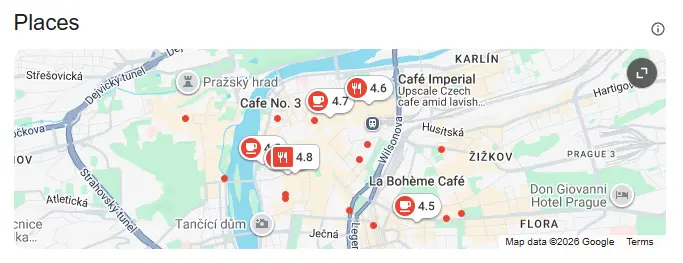
The "Local Pack" is the box showing 3 businesses with a map that appears at the top of local search results. Appearing here is extremely valuable:
- It's the first thing searchers see
- It appears above organic search results
- It includes key information (rating, hours, location)
- It has high click-through rates
Google Maps App Searches
When people search directly in the Google Maps app:
- They see more than 3 results
- They're often ready to take action
- Distance plays a larger role
- Profile completeness matters even more
Setting Up for Visibility Success
Step 1: Claim and Verify Your Profile
If you haven't already:
- Go to business.google.com
- Search for your business
- Claim ownership
- Complete verification (postcard, phone, or video)
Prague verification tips:
- Postcard delivery takes 5-14 days
- Make sure your address is exactly correct
- Check your spam folder for emails from Google
- Video verification is sometimes available for faster processing
Step 2: Complete Your Profile 100%
Every section of your profile matters:
Business Information:
- Accurate business name (no keyword stuffing)
- Complete address with postal code
- Local phone number (+420 format)
- Website URL
- Precise category selection
Visual Content:
- High-quality cover photo
- Logo image
- 20+ photos minimum
- Videos if possible
Details:
- Complete business description
- All relevant attributes selected
- Products/services listed
- Menu (for restaurants)
Step 3: Optimize Your Categories
Categories significantly impact what searches you appear for:
Primary category: Your main business type (be as specific as possible)
- "Vietnamese Restaurant" not just "Restaurant"
- "Women's Hair Salon" not just "Hair Salon"
- "CrossFit Gym" not just "Gym"
Secondary categories: Additional relevant categories
- You can add up to 9 secondary categories
- Add all that genuinely apply
- Don't add irrelevant categories
Step 4: Write an Optimized Description
Your 750-character description should:
- Start with your primary keyword/service
- Include your location naturally
- Highlight unique selling points
- Include a call-to-action
- Sound natural (not keyword-stuffed)
Example for a Prague café:
"Specialty coffee shop in the heart of Vinohrady, Prague. We roast our own beans and serve handcrafted espresso drinks, pour-overs, and fresh pastries daily. Our cozy space is perfect for remote work, meetings, or simply enjoying a great cup of coffee. English-speaking staff, free WiFi, card payments accepted. Visit us at [address] or order ahead through our website."
Building Visibility Through Reviews
Why Reviews Are Critical
Reviews impact visibility in multiple ways:
- Ranking factor: More/better reviews = higher rankings
- Conversion factor: Reviews influence click-through and visits
- Keyword factor: Review text can help you rank for terms mentioned
- Trust factor: High ratings build credibility
Getting More Reviews
Create a simple review process:
- Generate your review link from Google Business Profile
- Shorten it with bit.ly or similar
- Create a QR code for in-person use
- Add to email signatures, receipts, menus, etc.
Ask at the right moments:
- After positive customer feedback
- When customers compliment your service
- At checkout after a good experience
- In follow-up emails (not immediately)
Train your team:
- Make review requests part of service
- Provide a simple script
- Make it easy for customers
Managing Your Review Profile
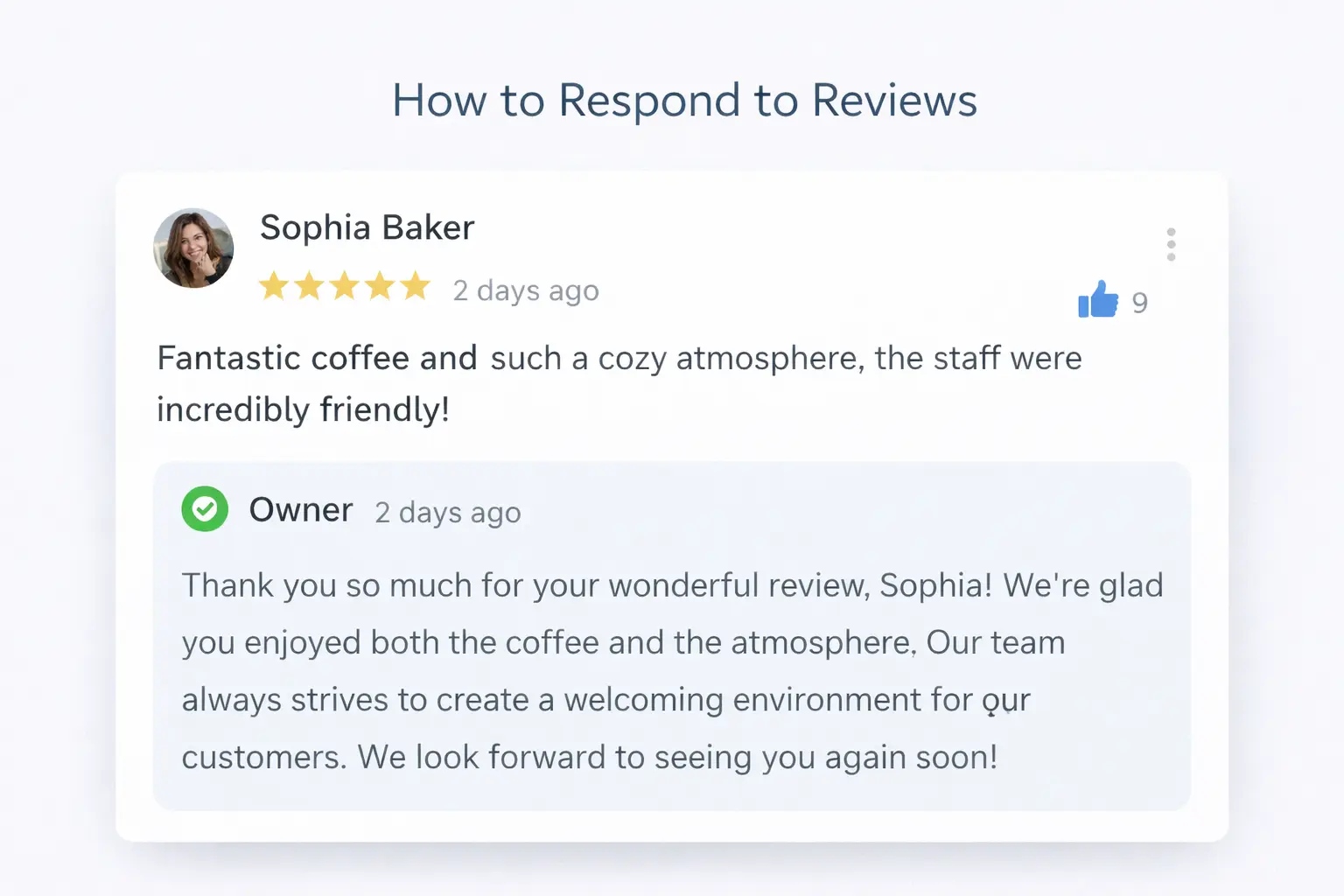
Respond to all reviews:
Positive review response template:
"Thank you so much for your kind words, [Name]! We're thrilled you enjoyed [specific thing mentioned]. We hope to see you again soon!"
Negative review response template:
"Thank you for your feedback, [Name]. We're sorry your experience didn't meet expectations. We'd love the opportunity to make this right—please reach out to [contact info] so we can address this personally."
Never:
- Ignore negative reviews
- Get defensive or argumentative
- Offer compensation publicly
- Copy-paste the same response
Prague-Specific Visibility Strategies
Optimize for Both Languages
Many Prague searches happen in both Czech and English:
Czech searches:
- "kavárna Praha 2"
- "restaurace Vinohrady"
- "kadeřnictví centrum"
English searches:
- "coffee shop Prague 2"
- "restaurant Vinohrady"
- "hair salon city center"
How to optimize for both:
- Use Czech in your official business name (as registered)
- Include English terms naturally in your description
- Respond to reviews in the language they're written
- Consider location terms in both languages
Get Listed on Czech Platforms
Google considers mentions across the web. Important Czech platforms:
Essential:
- Firmy.cz – Largest Czech business directory
- Mapy.cz – Seznam's mapping service
- Zlaté stránky – Czech Yellow Pages
Industry-specific:
- Restu.cz – Restaurant reviews and bookings
- Hotely.cz – Hotel listings
- Zomato – Restaurant discovery
- Heureka – Retail and e-commerce
Social:
- Facebook Business – Still widely used in CZ
- Instagram – Especially for visual businesses
Target Prague Neighborhoods
Prague's neighborhoods have distinct identities. Use them:
In your description:
- "Located in the heart of Vinohrady"
- "Serving Žižkov and surrounding areas"
- "Just steps from Old Town Square"
In posts and content:
- Mention neighborhood events
- Reference local landmarks
- Connect with neighborhood community
Neighborhood-specific keywords:
- "best pizza Letná"
- "coffee shop Karlín"
- "gym near Náměstí Míru"
Handle Seasonal Variations
Prague has distinct tourist seasons:
High season (May-September):
- Optimize for tourist-friendly features
- Highlight English services
- Promote outdoor seating
- Update photos for summer
Low season (November-March):
- Focus on local customer retention
- Highlight cozy indoor features
- Promote winter specials
- Update photos for the season
Advanced Visibility Tactics
Leverage Google Posts
Google Posts appear on your profile and can boost engagement:
Types of posts:
- Updates (general news)
- Offers (promotions)
- Events (upcoming happenings)
- Products (highlight items)
Best practices:
- Post at least weekly
- Use high-quality images
- Include calls-to-action
- Track performance in Insights
Optimize Your Website for Local
Your website supports your Maps visibility:
On-page elements:
- NAP in footer (matching your GBP exactly)
- Dedicated location/contact page
- Embedded Google Map
- LocalBusiness schema markup
Content elements:
- Prague-related blog content
- Neighborhood-specific pages
- Local keywords in titles and headings
Monitor and Improve
Track your progress with:
Google Business Profile Insights:
- How customers find you (direct vs. discovery)
- What actions they take
- How your photos perform
- Popular times and visit patterns
Ranking tracking:
- Manual searches from different locations
- Incognito mode searches
- Tools like BrightLocal or Local Falcon
Competitor monitoring:
- What categories do they use?
- How many reviews do they have?
- How often do they post?
Common Visibility Problems and Solutions
Problem: Not Appearing in Nearby Searches
Possible causes:
- Profile not verified
- Wrong category selected
- Incomplete profile
- Address issues
Solutions:
- Complete verification
- Review and update categories
- Fill out all profile sections
- Confirm address accuracy
Problem: Rankings Dropped Suddenly
Possible causes:
- Guideline violations
- User-suggested edits approved
- Algorithm updates
- Competitor improvements
Solutions:
- Check for notifications in GBP
- Review any recent changes
- Audit your profile for issues
- Report incorrect edits to Google
Problem: Appearing for Wrong Searches
Possible causes:
- Categories too broad
- Description includes wrong terms
- Business name confusion
Solutions:
- Use more specific categories
- Revise description for clarity
- Ensure name is accurate
Choose the Right Next Guide
Use this article as the overview, then follow the guide that matches the current problem. If the listing is absent, suspended, or inconsistent, start with why a Prague business is not showing on Google Maps. If the listing appears but ranks poorly, use the complete Maps ranking guide. If time is limited, begin with the five highest-impact Maps improvements.
Businesses already attracting profile views should also examine conversion. Our guide to getting more customers from Google in Prague connects profile activity with calls, bookings, website visits, and in-person customers.
Frequently Asked Questions
How long does it take to improve visibility?
Initial improvements from profile optimization can be seen within 1-2 weeks. Significant ranking changes for competitive terms typically take 2-6 months of consistent effort.
Do I need to pay for better visibility?
No, organic visibility is free. Google Ads can provide immediate visibility for competitive searches while you build organic presence, but they're not required.
How often should I update my profile?
At minimum:
- Weekly: Post content
- Monthly: Add new photos
- Quarterly: Review all information
- Immediately: When anything changes
Can I improve visibility for multiple locations?
Each physical location needs its own verified profile. Follow the same optimization strategies for each, but customize content to each location.
What's the biggest mistake businesses make?
Leaving their profile incomplete and ignoring reviews. A complete, actively managed profile outperforms a neglected one every time.
Your Visibility Action Plan
This week:
- Audit your Google Business Profile completeness
- Add 10+ quality photos
- Respond to all unanswered reviews
- Create a review request process
This month:
- Optimize your description with keywords
- Add all relevant categories
- Build/verify citations on Czech platforms
- Start weekly Google Posts
Ongoing:
- Collect reviews consistently
- Add fresh photos regularly
- Monitor Insights and adjust
- Stay updated on Google changes
Get Your Free Visibility Audit
Want a professional assessment of your Google Maps visibility? We analyze Prague businesses every day and can identify exactly what's holding you back.
Request your free audit and get specific, actionable recommendations for your business.