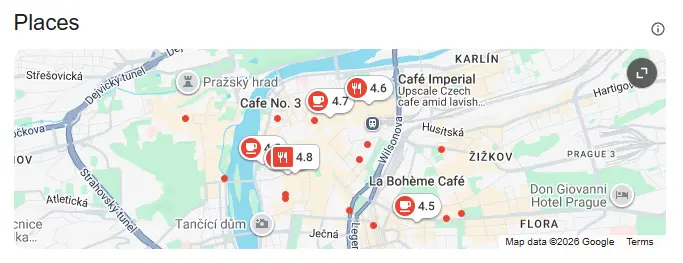
Ranking well on Google Maps can transform your Prague business. When you appear in the "Local Pack" (the map and three business listings at the top of search results), you're essentially getting free advertising to people actively looking for your services.
This guide will walk you through everything you need to know to improve your Google Maps ranking in Prague, from quick wins to long-term strategies.
Understanding Google Maps Rankings
Before we dive into strategies, let's understand what we're optimizing for. Google shows local results in two main ways:
- The Local Pack – A map with 3 featured businesses (sometimes called the "3-pack")
- Google Maps directly – When someone searches within the Maps app
The Local Pack is particularly valuable because it appears at the top of regular Google searches for local queries like "coffee shop near me" or "restaurant Prague 2."
The Three Pillars of Local SEO
Google has confirmed that local rankings are based on three factors:
1. Relevance
How well does your business match what someone is searching for?
How to improve relevance:
- Choose the most specific primary category possible
- Add all relevant secondary categories
- Write a detailed business description with natural keywords
- List all your services/products
- Answer Q&A questions on your profile
2. Distance
How close is your business to the person searching?
What you can control:
- Ensure your address is accurate
- For service-area businesses, define appropriate service zones
- Target neighborhood-specific keywords in your description
3. Prominence
How well-known and trusted is your business?
How to build prominence:
- Earn more reviews (and respond to them)
- Build citations on relevant directories
- Get mentioned in local media and blogs
- Maintain consistent information across the web
- Have a strong website presence
Step-by-Step Ranking Strategy
Month 1: Foundation
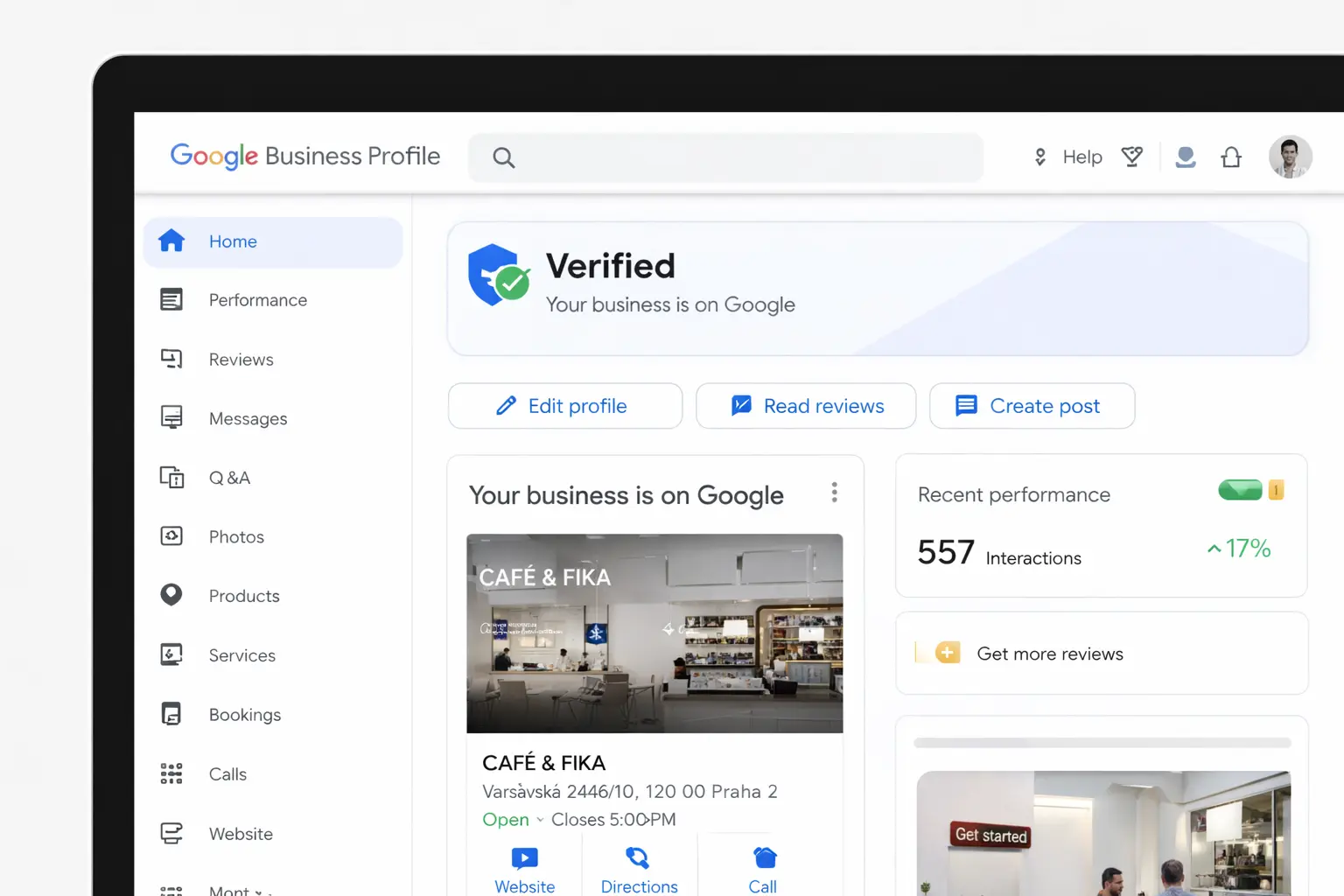
Week 1-2: Optimize Your Google Business Profile
Start by making your profile as complete as possible:
- Verify your listing if you haven't already
- Business name: Use your real business name (no keyword stuffing)
- Categories: Choose 1 primary + up to 9 secondary categories
- Address: Ensure it's accurate and matches your website
- Phone: Use a local Prague number (+420)
- Hours: Set accurate hours, including special holiday hours
- Website: Link to a relevant page (homepage or location page)
- Description: Write 750 characters using natural keywords
Week 3-4: Fix NAP Consistency
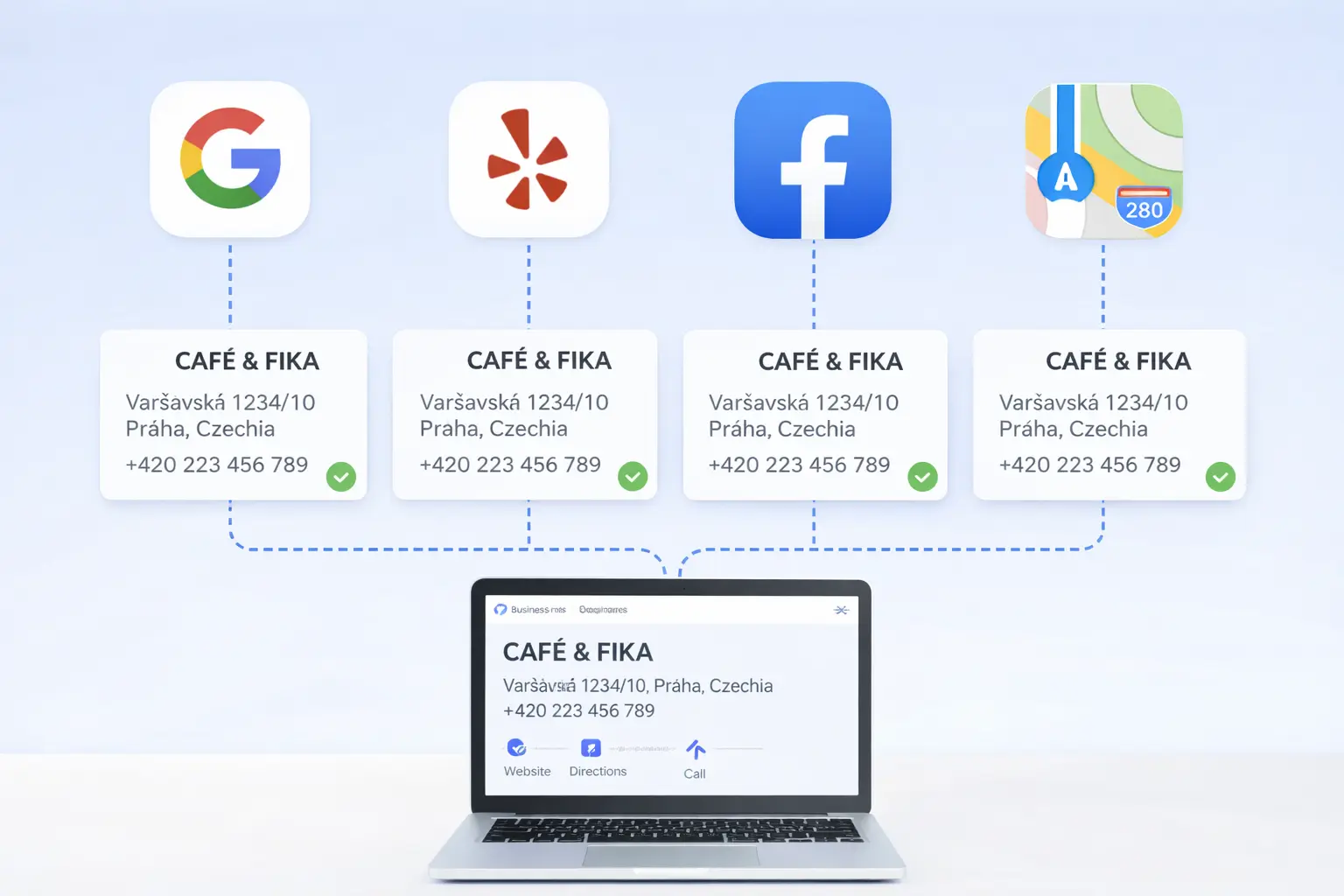
Your Name, Address, and Phone (NAP) should be identical everywhere:
- Create a spreadsheet of all your online listings
- Check: Firmy.cz, Mapy.cz, Facebook, Instagram, Yelp, TripAdvisor
- Update any inconsistencies
- Use the exact same format everywhere
Month 2: Content & Reviews
Week 5-6: Add Photos and Videos
Visual content significantly impacts engagement:
- Cover photo: Your best, most representative image
- Logo: High-resolution, square format
- Interior photos: At least 5-10 showing your space
- Exterior photos: Help customers find you
- Team photos: Build trust and personality
- Product/service photos: Show what you offer
- Videos: Short clips of your business in action
Pro tip: Businesses with 100+ photos get 520% more calls than average (Google Business Profile data).
What moves the needle on a Google Business Profile
Relative uplift compared with an incomplete or dormant profile.
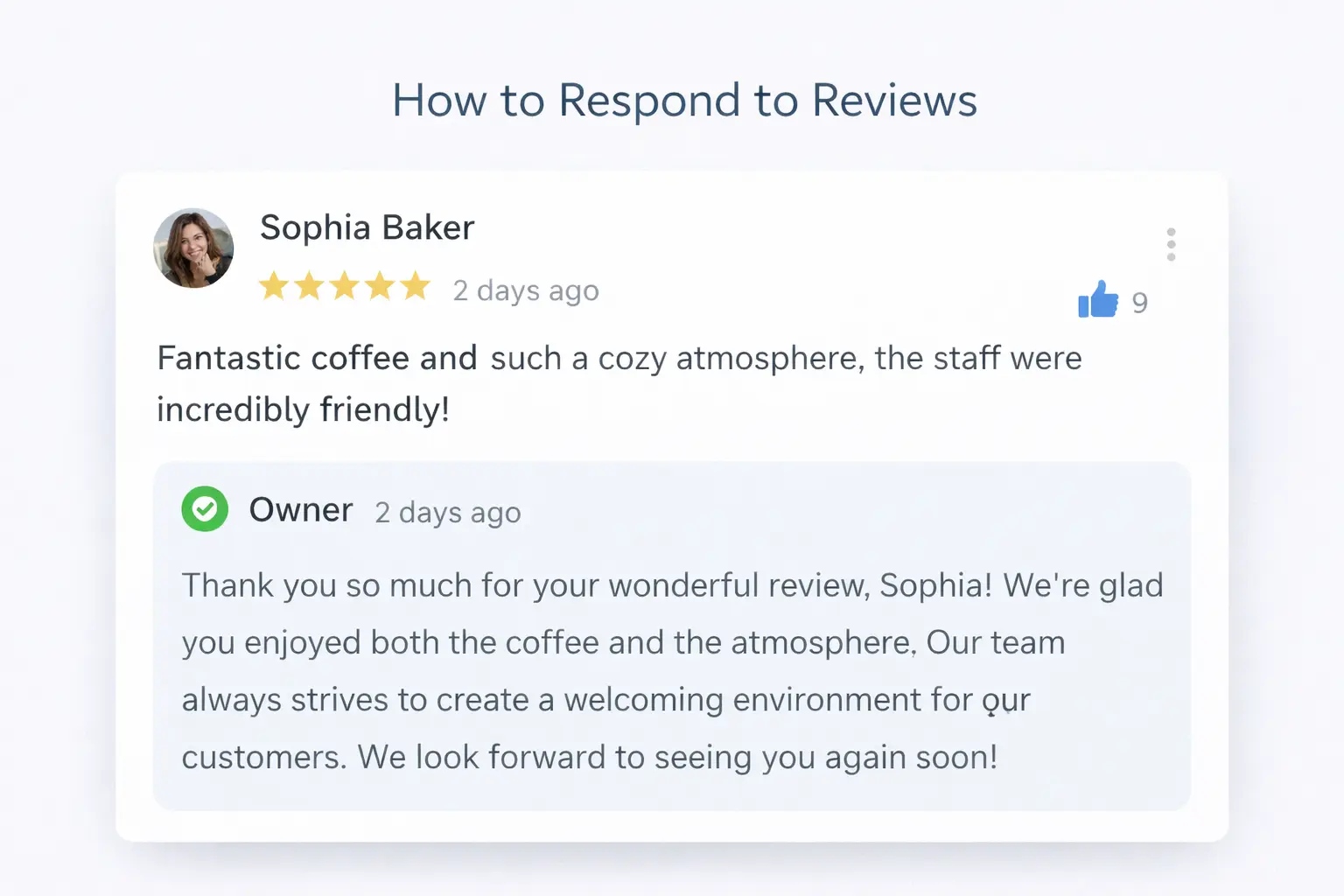
Week 7-8: Start a Review Strategy
Reviews are crucial for rankings and conversions:
- Ask satisfied customers – Train staff to request reviews
- Make it easy – Create a short link to your review page
- Time it right – Ask shortly after a positive experience
- Respond to all reviews – Thank positive reviewers, address negative ones professionally
Month 3: Citations & Authority
Week 9-10: Build Local Citations
Citations are mentions of your business on other websites. Focus on:
Essential Czech directories:
- Firmy.cz (free and paid options)
- Mapy.cz (Seznam's map service)
- Zlaté stránky
- Najisto.cz
Industry-specific directories:
- Restu.cz (restaurants)
- Hotely.cz (hotels)
- TripAdvisor (tourism)
- Zomato (restaurants)
International directories:
- Yelp
- Apple Maps
- Bing Places
- Foursquare
Week 11-12: Create Local Content
Develop content that signals local relevance:
- Blog posts about Prague-related topics
- Neighborhood guides
- Local event coverage
- Partnerships with other local businesses
Advanced Ranking Strategies
Optimize Your Website for Local SEO
Your website supports your Google Maps ranking:
- Include NAP on every page (usually in the footer)
- Create a dedicated "Contact" or "Location" page
- Add an embedded Google Map
- Use local keywords in your title tags and content
- Add LocalBusiness schema markup
Use Google Posts Effectively
Google Posts appear on your profile and can boost engagement:
- Post weekly updates
- Share offers and promotions
- Announce events
- Use high-quality images
- Include a call-to-action button
Monitor and Respond to Q&A
The Q&A section on your profile can rank in search results:
- Pre-populate with common questions
- Answer questions quickly
- Upvote helpful questions and answers
- Flag inappropriate content
Track Your Rankings
Use tools to monitor your position:
- Free: Manual searches (use incognito mode)
- Paid: BrightLocal, Whitespark, or Local Falcon
Remember that rankings vary based on the searcher's location, so track from multiple points in Prague.
Prague-Specific Ranking Tips
Optimize for Tourist Searches
If you serve tourists, consider:
- Adding English translations to your description
- Highlighting tourist-friendly features (English menu, card payments)
- Targeting phrases like "near Old Town Square" or "Prague city center"
Target Czech Search Behavior
Many Prague residents use Seznam/Mapy.cz alongside Google:
- Ensure you're listed on Mapy.cz
- Use Czech keywords in your descriptions
- Consider Czech spelling variations
Neighborhood Targeting
Prague's neighborhoods each have distinct identities:
- Mention your neighborhood in your description
- Target neighborhood + service keywords
- Get involved in local community events
Common Mistakes to Avoid
- Keyword stuffing your business name – Violates guidelines and risks suspension
- Creating fake reviews – Google's algorithms detect this
- Neglecting negative reviews – Always respond professionally
- Inconsistent hours – Update for holidays and special events
- Ignoring Google's suggestions – Review and approve/reject user edits
Realistic Timeline for Results
| Activity | Impact Timeline |
|---|---|
| Profile optimization | 1-2 weeks |
| NAP consistency fixes | 2-4 weeks |
| Photo additions | 1-2 weeks |
| Review accumulation | 2-3 months |
| Citation building | 1-3 months |
| Significant ranking improvement | 3-6 months |
Measuring Success
Track these metrics to gauge your progress:
- Ranking position for target keywords
- Profile views (in GBP Insights)
- Actions (calls, direction requests, website clicks)
- Photo views compared to competitors
- Review quantity and average rating
Decide What to Work on First
Compare your profile with three nearby businesses that consistently appear for the searches you want. Look at category fit, review recency, photo quality, service detail, website usefulness, and local mentions. Do not copy competitors; identify the largest credible gap.
If your listing does not appear at all, ranking work is premature. Start with the Google Maps visibility troubleshooting guide. If it appears but stays below stronger competitors, use the focused actions in five proven ways to improve your Maps position.
Choose one measurable objective for each month. Examples include completing every relevant profile field, earning a steady number of genuine reviews, correcting the ten most important citations, or publishing a useful local service page. A smaller plan completed consistently is more effective than sporadic changes across every possible factor.
Connect Rankings to Business Results
A higher map position only matters when it produces suitable customers. Record calls, bookings, direction requests, and website enquiries alongside rankings. Note the service, neighborhood, and language behind good leads. This shows whether visibility is growing for commercially useful searches rather than broad phrases.
Review performance monthly, not daily. Local positions naturally vary across Prague and short-term movement can encourage unnecessary edits. Use a three-month comparison to judge whether the plan is working.
Create a simple baseline before the first change: current average position across several Prague locations, monthly profile views, calls, website clicks, direction requests, review count, and average rating. Add a short note beside each monthly result explaining what changed. This prevents normal seasonal movement from being mistaken for success or failure.
For restaurants and tourism businesses, compare the same months year over year because Prague demand changes sharply by season. For appointment businesses, also track completed bookings and missed calls. For service-area companies, separate qualified enquiries from broad visibility. The most valuable ranking is the one that reaches the right customer and produces profitable work.
Frequently Asked Questions
How long does it take to rank #1 on Google Maps?
There's no guaranteed timeline. For moderately competitive keywords in Prague, expect 3-6 months of consistent effort. Highly competitive areas (city center restaurants, for example) may take longer.
Can I rank in multiple Prague neighborhoods?
You can only have one listing per physical location. For service-area businesses, you can define multiple service zones, but this doesn't guarantee visibility in all areas.
Do paid Google Ads help with Maps rankings?
No, paid ads don't directly impact organic Maps rankings. However, they can increase visibility and drive more engagement, which may have indirect benefits.
How often should I post on Google?
Aim for at least weekly posts. Consistent activity signals to Google that your business is active and engaged.
What's more important: reviews or photos?
Both matter, but reviews tend to have a stronger impact on rankings. However, photos significantly impact conversion rates (whether someone chooses your business after finding it).
Get Expert Help with Your Google Maps Ranking
Ranking well on Google Maps requires consistent effort across multiple areas. If you'd like expert guidance tailored to your Prague business, we offer a free audit that identifies your biggest opportunities for improvement.
Get your free Google Maps audit and start attracting more local customers.