If you run a business in Prague and you're not showing up on Google Maps, you're likely losing customers every single day. Studies show that 76% of people who search for something nearby on their phone visit a business within 24 hours. If your business is invisible on Google Maps, those customers are walking straight to your competitors.
In this comprehensive guide, we'll explore exactly why your Prague business might not be appearing on Google Maps and provide you with a step-by-step action plan to fix it.
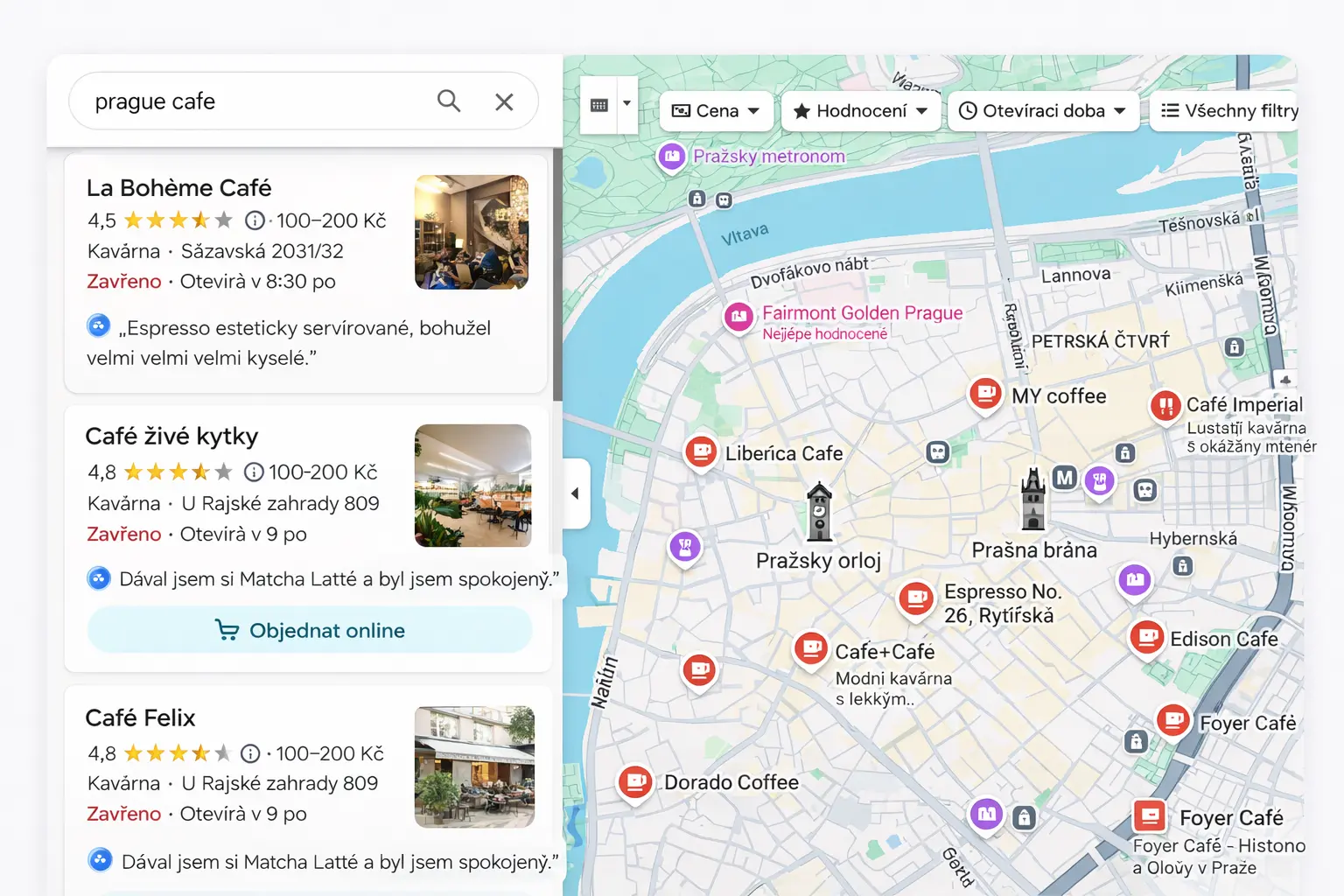
Understanding How Google Maps Works for Local Businesses
Before we dive into the problems, it's important to understand how Google decides which businesses to show on Maps. Google uses three main factors to rank local businesses:
- Relevance – How well your business profile matches what someone is searching for
- Distance – How close your business is to the searcher's location
- Prominence – How well-known and trusted your business is online
When any of these factors are weak or missing, your business might not appear in search results at all.
Common Reasons Your Business Isn't Showing on Google Maps
1. Your Google Business Profile Isn't Verified
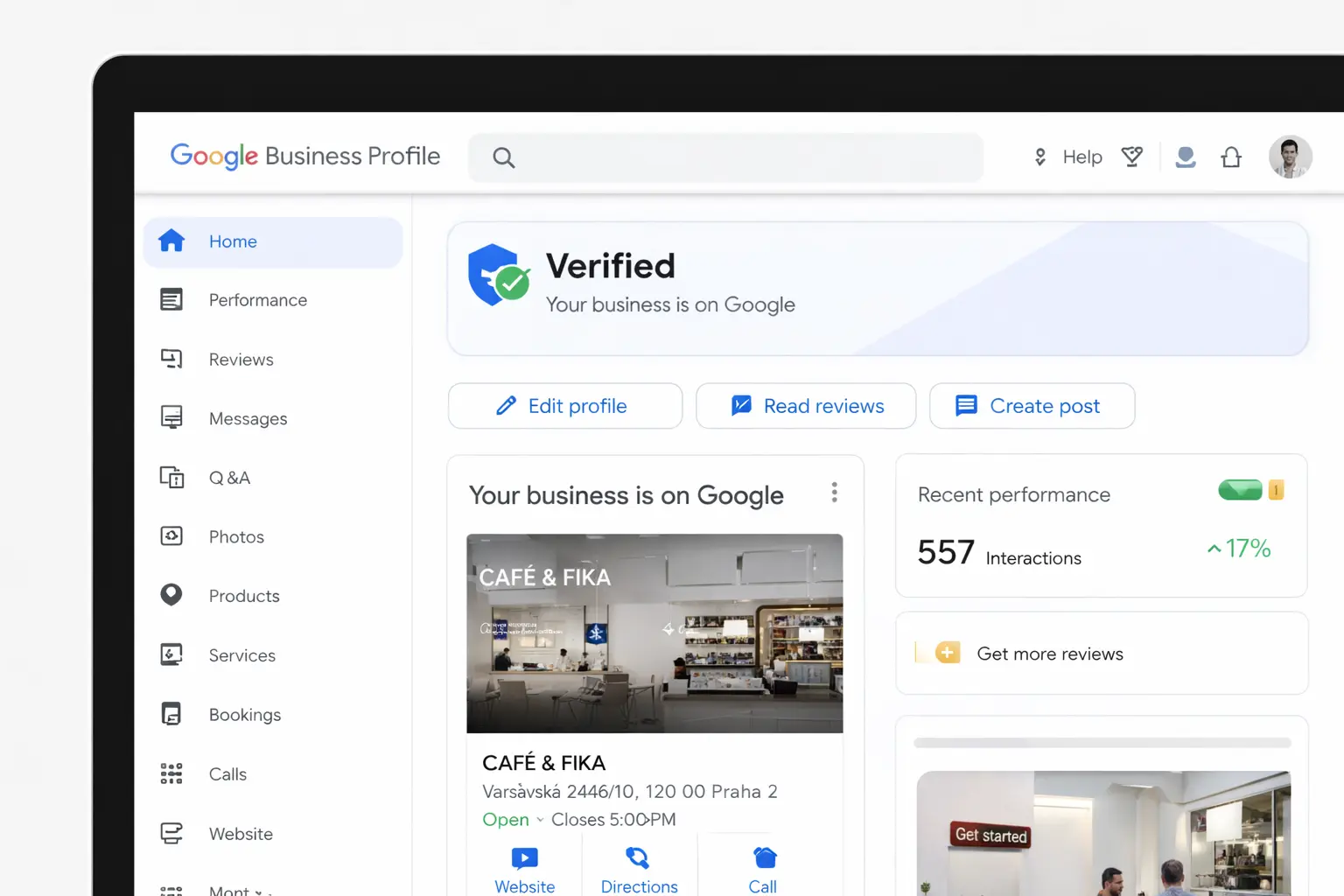
This is the most common issue we see with Prague businesses. If you haven't claimed and verified your Google Business Profile (formerly Google My Business), Google has no way to confirm that your business is legitimate.
How to check: Go to Google Business Profile and sign in with your Google account. If you see a "Verify now" button, your profile isn't verified yet.
How to fix it:
- Request a verification postcard (arrives in 5-14 days in Prague)
- Some businesses qualify for phone or email verification
- Video verification is available for certain business categories
2. Incorrect or Inconsistent Business Information
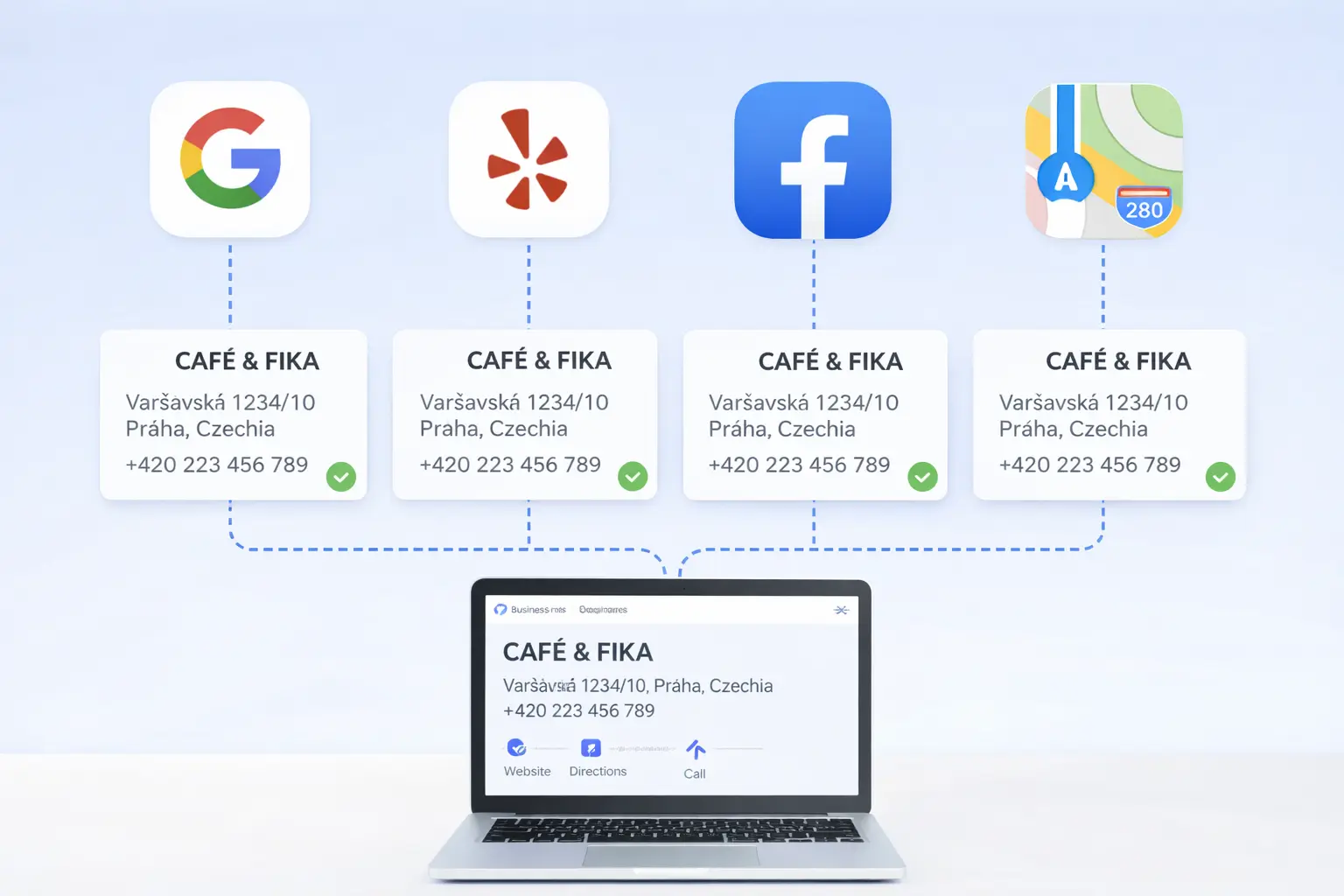
Google needs to trust that your business information is accurate. If your name, address, or phone number (NAP) differs across the internet, Google gets confused and may suppress your listing.
Common NAP inconsistencies we see in Prague:
- Using "ulice" vs. street number format inconsistently
- Different phone number formats (+420 vs. 00420)
- Abbreviated vs. full neighborhood names (Praha 1 vs. Prague 1)
- Missing postal codes or incorrect district numbers
How to fix it:
- Create a "master" version of your business information
- Update your website with this exact information
- Update all online directories (Firmy.cz, Mapy.cz, Yelp, TripAdvisor)
- Use the same format everywhere, including punctuation
3. You're in a Highly Competitive Area
Prague's city center (especially Praha 1, 2, and 3) is incredibly competitive for local businesses. If there are dozens of restaurants, cafés, or shops offering similar services in your area, you'll need to work harder to stand out.
How to improve your competitive position:
- Complete every section of your Google Business Profile
- Add more photos than your competitors (aim for 50+)
- Respond to every review (positive and negative)
- Post weekly updates using Google Posts
- Collect more reviews than nearby competitors
4. Your Business Category is Wrong or Too Broad
Choosing the right primary category is crucial. If you run a Vietnamese restaurant but selected "Restaurant" as your category, you're competing with every restaurant in Prague instead of just Vietnamese restaurants.
How to fix it:
- Go to your Google Business Profile
- Click "Edit profile" > "Business information"
- Review your primary category – make it as specific as possible
- Add secondary categories for additional services
Examples of specific categories:
- Instead of "Restaurant" → "Vietnamese Restaurant"
- Instead of "Hair Salon" → "Men's Hair Salon" or "Hair Extension Service"
- Instead of "Gym" → "CrossFit Gym" or "Yoga Studio"
5. Your Business Was Recently Moved or Renamed
If you've recently changed your business name, address, or merged with another business, Google needs time to verify the changes. During this period, your visibility may drop significantly.
How to handle business changes:
- Update your Google Business Profile immediately
- Re-verify if prompted
- Update all online citations within the same week
- Be patient – it can take 2-4 weeks for changes to reflect
6. You're Operating in a Service Area (Not Physical Location)
Some businesses, like plumbers, electricians, or delivery services, don't have customers visiting a physical location. For these "service area businesses," Google has different rules.
If you're a service area business:
- Hide your physical address in your profile settings
- Define your service areas by neighborhood or postal code
- Make sure your service areas include the places you want to appear
Quick Diagnostic Checklist
Run through this checklist to identify issues with your Google Maps visibility:
- Is your Google Business Profile claimed and verified?
- Is your business name exactly the same everywhere online?
- Is your address format consistent (including postal code)?
- Is your phone number in the same format everywhere?
- Have you selected the most specific primary category?
- Do you have at least 5 high-quality photos?
- Have you received at least 5 reviews?
- Is your website linked to your profile?
- Are your business hours accurate and up-to-date?
- Have you added a business description with relevant keywords?
How Long Does It Take to Start Showing Up?
Once you've fixed the issues above, here's a realistic timeline for Prague businesses:
| Action | Expected Timeline |
|---|---|
| Profile verification | 1-2 weeks |
| NAP consistency fixes | 2-4 weeks |
| Category changes | 1-2 weeks |
| New reviews impact | 2-8 weeks |
| Significant ranking improvement | 2-3 months |
Prague-Specific Tips for Better Visibility
Optimize for Czech and English Searches
Many Prague businesses serve both locals and tourists. Consider:
- Adding a Czech AND English business description
- Using both Czech and English keywords naturally
- Responding to reviews in the language they were written
Get Listed on Czech Directories
Local Czech directories send strong trust signals to Google:
- Firmy.cz – The largest Czech business directory
- Mapy.cz – Seznam's mapping service (very popular in CZ)
- Zlate Stranky – Czech Yellow Pages
- Heureka (for e-commerce/retail)
Leverage Prague Neighborhoods
Include your neighborhood in your business description:
- "Located in the heart of Vinohrady"
- "Serving customers in Žižkov and surrounding areas"
- "Just steps from Náměstí Míru metro station"
Diagnose Visibility Before Changing Anything
Search results change with location, language, device, and previous activity. One search from the business counter is not a reliable ranking test. Check several relevant phrases from different parts of the service area, note whether the profile appears in Maps at all, and separate a complete disappearance from a low position.
A complete disappearance usually points to verification, suspension, duplication, address, or eligibility issues. A low position usually requires stronger relevance and prominence. Making constant edits before identifying the category can delay recovery.
Record the date of every profile change and take screenshots of important fields. If visibility drops later, this history helps distinguish a delayed edit from an unrelated ranking change. For a wider measurement framework, use our Google Maps visibility guide for Prague businesses.
Duplicate and Suspension Checks
Search the exact business name, phone number, and address. An old listing created by a previous owner or former employee can compete with the active profile. Do not create another listing to solve the problem. Request access, suggest a correction, or follow Google’s duplicate-resolution process.
If the profile is suspended, review the guidelines before submitting an appeal. Correct genuine issues first and prepare evidence such as registration documents, signage, lease information, utility records, or photographs showing the customer-facing location. Repeated appeals without addressing the reason rarely help.
Service-area businesses should not display a residential address when customers are not served there. Virtual offices and borrowed addresses are also risky. The profile must represent a real eligible operation.
What to Do After the Listing Returns
Restored visibility is the beginning, not the finish. Complete the profile, reconnect the correct website, check hours, and respond to recent reviews. Then follow the practical actions in five ways to improve a Google Maps ranking.
Avoid making many major edits in the first few days unless information is wrong. Monitor calls, website clicks, direction requests, and the actual queries shown in profile performance. Steady, accurate management is safer than repeatedly changing categories and descriptions in search of an instant jump.
Frequently Asked Questions
How long does Google verification take in Prague?
Postcard verification typically takes 5-14 business days in Prague. During busy periods (holidays, summer), it may take up to 3 weeks.
Can I speed up the verification process?
Some businesses qualify for instant phone or email verification. Video verification is also available for certain categories. Check your Google Business Profile for available options.
Why did my listing disappear after being visible?
Common reasons include: guideline violations, user-suggested edits that were approved, duplicate listings, or significant business information changes. Check your email for notifications from Google.
Should I create multiple listings for one business?
No. Creating duplicate listings violates Google's guidelines and can result in all your listings being suspended. If you have multiple physical locations, each should have its own verified profile.
How many reviews do I need to rank well?
There's no magic number, but businesses with 10+ recent reviews typically perform better. Focus on consistently earning reviews rather than hitting a specific number.
Next Steps: Get Your Free Google Maps Audit
Still struggling to appear on Google Maps? Our team specializes in helping Prague businesses improve their local visibility. We'll analyze your current situation and provide specific recommendations for your business.
Get your free audit and discover exactly what's preventing your business from being found by local customers.