Every day, thousands of people in Prague search Google for local businesses like yours. They're looking for restaurants, salons, gyms, shops, and services. The question is: are they finding you, or your competitors?
Getting more customers from Google isn't just about ranking higher—it's about converting searchers into visitors, callers, and buyers. This guide will show you how to optimize the entire customer journey, from search to sale.
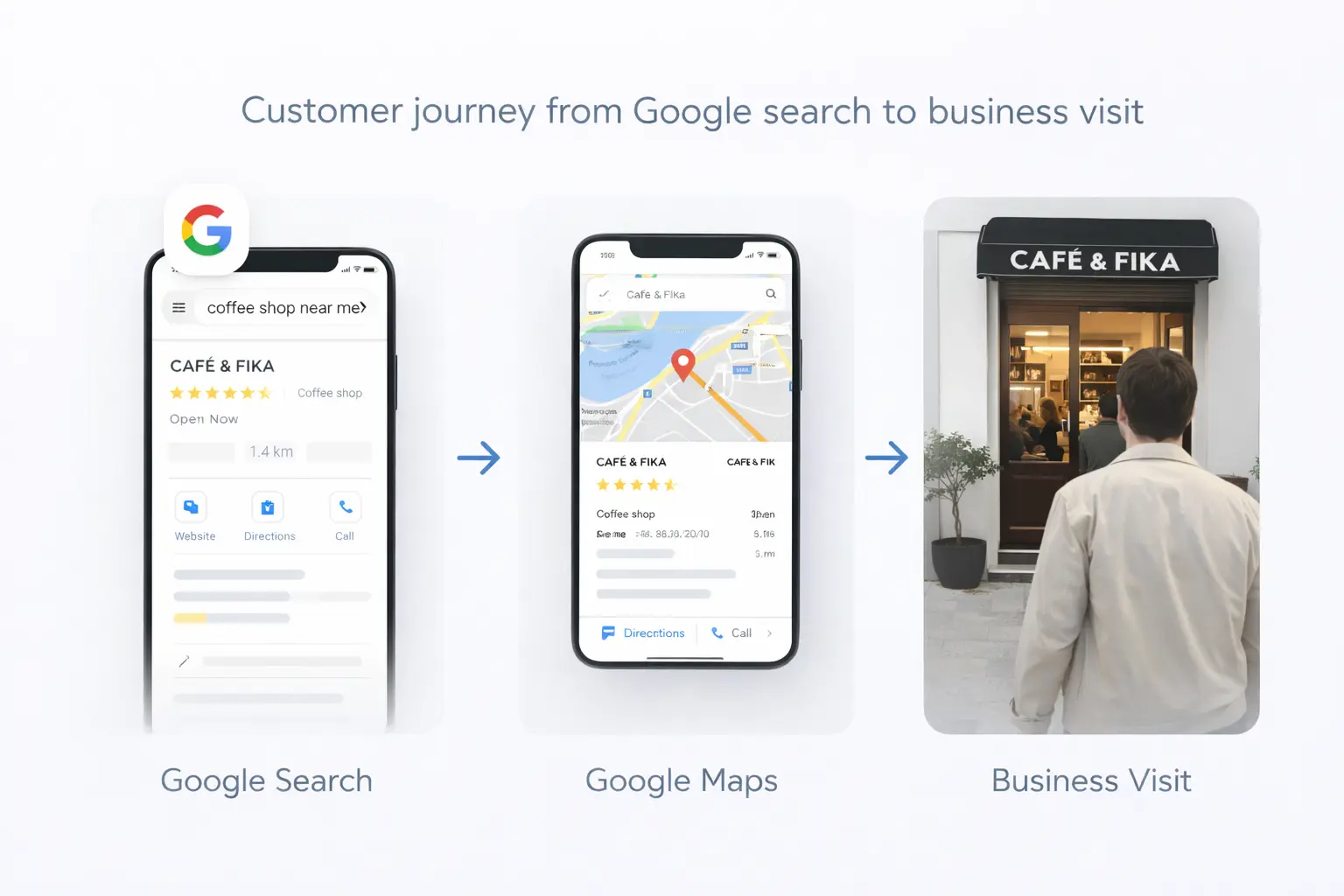
Understanding How Customers Find You on Google
Before we dive into strategies, let's understand the different ways potential customers discover local businesses:
1. Direct Searches
Someone searching for your business by name: "Café Louvre Prague"
What this means: They already know about you—great! Make sure your profile is complete so they can easily contact you or get directions.
2. Discovery Searches
Someone searching for what you offer: "Italian restaurant Vinohrady"
What this means: They're actively looking for a solution you provide. Your goal is to appear in their results and convince them to choose you.
3. Brand Searches
Someone searching for a type of business: "best coffee near me"
What this means: They have intent but haven't decided where to go. You need to rank well AND stand out from competitors.
4. Google Maps Searches
Someone using the Maps app directly to find nearby businesses.
What this means: They're often ready to visit immediately. Your profile needs to give them everything they need to take action.
The Customer Decision Journey
When someone finds your business on Google, they typically go through this process:
- See your listing in search results
- Evaluate your profile (photos, reviews, information)
- Compare you to nearby alternatives
- Take action (call, visit website, get directions, visit directly)
Your job is to optimize each step of this journey.
Step 1: Get Found (Visibility)
You can't get customers if they can't find you. Focus on these visibility factors:
Optimize Your Google Business Profile
Your GBP is your digital storefront. Ensure:
- Primary category is as specific as possible
- All secondary categories are relevant and added
- Description includes keywords naturally
- Attributes are complete (outdoor seating, wheelchair access, etc.)
- Services/products are listed with descriptions
Target the Right Keywords
Think about how customers search for your business:
Service + Location:
- "Hair salon Prague 2"
- "Pizza delivery Žižkov"
- "Personal trainer Vinohrady"
Problem + Location:
- "Broken phone repair Prague"
- "Emergency dentist near me"
- "Best hangover brunch Prague"
Feature + Service + Location:
- "Vegan restaurant Prague Old Town"
- "24 hour gym Prague"
- "Kids friendly café Prague"
Build Local Citations
Get listed on directories that Prague residents actually use:
High priority:
- Firmy.cz
- Mapy.cz
- Google Business Profile
- Facebook Business
- TripAdvisor (especially for tourism-related businesses)
Medium priority:
- Yelp
- Zomato (restaurants)
- Instagram (local hashtags)
- Industry-specific directories
Step 2: Stand Out (Differentiation)
Appearing in search results is only half the battle. You need to stand out from competitors.
Photos That Sell
Your photos are often the first impression. Invest in:
Cover photo: Your single best image—make it count
Interior shots: Show the ambiance and experience
Product photos: Highlight what you sell
Team photos: Build personal connection
Customer moments: Social proof (with permission)
Photo tips for Prague businesses:
- Capture beautiful Prague-specific elements
- Show seasonal changes (summer terrace, winter coziness)
- Update regularly with fresh content
- Use natural lighting when possible
Review Quantity and Quality
Reviews impact both rankings and customer decisions:
Quantity goals:
- Minimum: 10 reviews to appear credible
- Better: 25+ reviews for competitive terms
- Best: 50+ reviews with consistent new additions
Quality factors:
- Average rating (aim for 4.5+)
- Recency (reviews from the last 3 months matter most)
- Response rate (respond to 100% of reviews)
- Keywords in reviews (helps with relevance)
Unique Selling Points
Make sure your profile highlights what makes you special:
- Unique offerings or specialties
- Awards or recognition
- Languages spoken (important in Prague)
- Payment methods accepted
- Special features or amenities
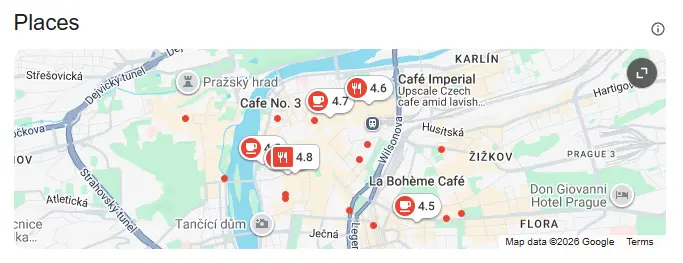
Step 3: Convert (Action)
Once someone is interested, make it easy for them to become a customer.
Clear Call-to-Action
Your profile should make it obvious what to do next:
- Phone number: Prominently displayed, clickable on mobile
- Directions: Address accurate and complete
- Website: Links to relevant page (not just homepage)
- Booking: If applicable, enable reservations
- Messaging: Enable and respond quickly
Reduce Friction
Remove barriers that might stop someone from visiting:
- Hours: Always accurate (especially holidays)
- Parking: Mention options if available
- Accessibility: Note any accessibility features
- Wait times: If you have reservations, promote them
- Payment methods: List accepted options
Track What Works
Monitor your Google Business Profile Insights:
- Direct vs. discovery searches: How are people finding you?
- Actions: What do people do after finding you?
- Photo views: Are your photos engaging?
- Popular times: When are people looking for you?
Industry-Specific Strategies
Restaurants & Cafés
Key conversion factors:
- Menu with prices visible
- Photos of actual dishes
- Reservation links
- Outdoor seating indication
- Delivery options noted
Prague-specific tips:
- Highlight tourist-friendly features (English menu)
- Note Czech and international cuisine elements
- Feature seasonal specials
- Showcase terrace views if applicable
Salons & Barbershops
Key conversion factors:
- Portfolio of work (before/after photos)
- Booking links integrated
- Staff profiles
- Service menu with prices
Prague-specific tips:
- Specify languages spoken by stylists
- Note card payment acceptance
- Highlight any specialties (curly hair, color correction)
Gyms & Fitness Studios
Key conversion factors:
- Facility photos (equipment, classes)
- Class schedule availability
- Trial offer promotions
- Trainer qualifications
Prague-specific tips:
- Multilingual staff/classes
- Note sauna/wellness facilities
- Highlight location accessibility (metro proximity)
Retail & Services
Key conversion factors:
- Product photos and inventory
- Store hours clearly displayed
- Website with online ordering
- Parking availability
Prague-specific tips:
- Note proximity to landmarks/metro
- Highlight any expat-friendly services
- Feature Czech-made products if applicable
Measuring Customer Acquisition
Track these metrics to understand what's working:
Google Business Profile Metrics
- Profile views
- Search queries
- Direction requests
- Phone calls
- Website clicks
- Photo views
Business Metrics
- New customers (ask "how did you find us?")
- Phone inquiry volume
- Walk-in traffic patterns
- Website traffic from Google
- Booking/reservation volume
Compare Over Time
- Month-over-month trends
- Seasonal patterns
- Before/after optimization changes
- Competition benchmarks
Common Mistakes That Lose Customers
1. Outdated Information
Nothing frustrates potential customers more than wrong hours or closed businesses. Update your profile immediately when anything changes.
2. Poor Quality Photos
Blurry, dark, or amateur photos make your business look unprofessional. Invest in decent photos—even smartphone photos can be good with proper lighting.
3. Ignoring Reviews
Not responding to reviews (especially negative ones) makes you look like you don't care. Always respond professionally and promptly.
4. Incomplete Profile
Missing information makes customers question whether you're legitimate. Fill out every section completely.
5. No Clear Differentiation
If your profile looks like every competitor, customers have no reason to choose you. Highlight what makes you unique.
Improve the Website Step of the Journey
Many people discover a business in Maps and still visit its website before deciding. The profile creates interest; the website must answer the final questions. Keep the relevant service, price, location, hours, language, and booking action easy to find on the first page they reach.
Do not send every profile visitor to a generic homepage if a more specific page exists. A user searching for a particular treatment, class, or service should land where that exact offer is explained. Check the complete Prague small-business website checklist for the practical details that support conversion.
Build a Simple Follow-Up System
Not every enquiry converts immediately. Respond quickly, answer the stated question first, and give one clear next step. Track common objections such as unclear pricing, unavailable times, language concerns, or uncertainty about location. Then update the profile or website so the next customer gets the answer before asking.
Visibility and conversion must improve together. If the profile receives few views, work through the Google Maps ranking guide. If views are healthy but actions are weak, focus on photos, reviews, offer clarity, and the website journey.
Frequently Asked Questions
How long does it take to see more customers from Google?
Initial improvements (profile completion, photos) can impact visibility within 2-4 weeks. Significant increases in customer volume typically take 2-3 months of consistent optimization.
Should I focus on Google or other platforms?
Google should be your priority—it's where most local searches happen. But also maintain profiles on Facebook, TripAdvisor (if relevant), and Czech directories like Firmy.cz.
How do I track if customers came from Google?
Ask new customers how they found you. You can also track phone calls with call tracking numbers, monitor direction requests in Insights, and analyze website traffic sources.
Do I need to pay for Google Ads to get customers?
No, you can get significant traffic organically. However, Google Ads can accelerate results and help you appear for competitive searches while you build organic visibility.
What's the most important thing I can do today?
If you haven't already, claim and verify your Google Business Profile. Then complete every section and add at least 10 quality photos. This foundation is essential for everything else.
Take Action: Free Google Audit
Want to know exactly what's preventing your business from attracting more customers from Google? We offer a free, no-obligation audit that analyzes:
- Your current Google visibility
- Profile optimization opportunities
- Competitor comparison
- Specific recommendations for your business
Get your free audit and start converting more searchers into customers.