Use this as a launch checklist for a new site, or as an audit of the one you have. It is written for Prague restaurants, cafes, salons, barbershops, gyms, and local service businesses.
Homepage
- States what you do and which district you are in, above the fold
- One primary action: book, call, or reserve
- Tappable phone number in the header
- Opening hours visible without scrolling far
- Three to five real photos of your space or work
- Loads in under three seconds on mobile data
Services or Menu Page
- Every service or dish listed with a price
- Short, plain descriptions—no marketing filler
- Duration for services, allergens for food
- A booking or reservation link at the top and bottom
Hidden prices are the single most common reason visitors bounce. Publish them.
About Page
- A photo of you or your team, not a stock image
- How long you have been operating in Prague
- Languages you speak
- Any certifications or memberships
Contact Page
- Embedded map with your exact pin
- Full address including the Prague district
- Tappable phone number and email
- Opening hours, including public holidays
- Nearest tram or metro stop—genuinely useful in Prague
- A short note about parking if you have any
Technical
- Mobile-first layout, no sideways scrolling
- Compressed images with set dimensions so the page does not jump
- HTTPS enabled
- Unique title and description for each page
- LocalBusiness structured data with address, hours, and phone
- Czech and English versions with correct language tags
- XML sitemap submitted to Google Search Console
Local Search Alignment
- Website linked from your Google Business Profile
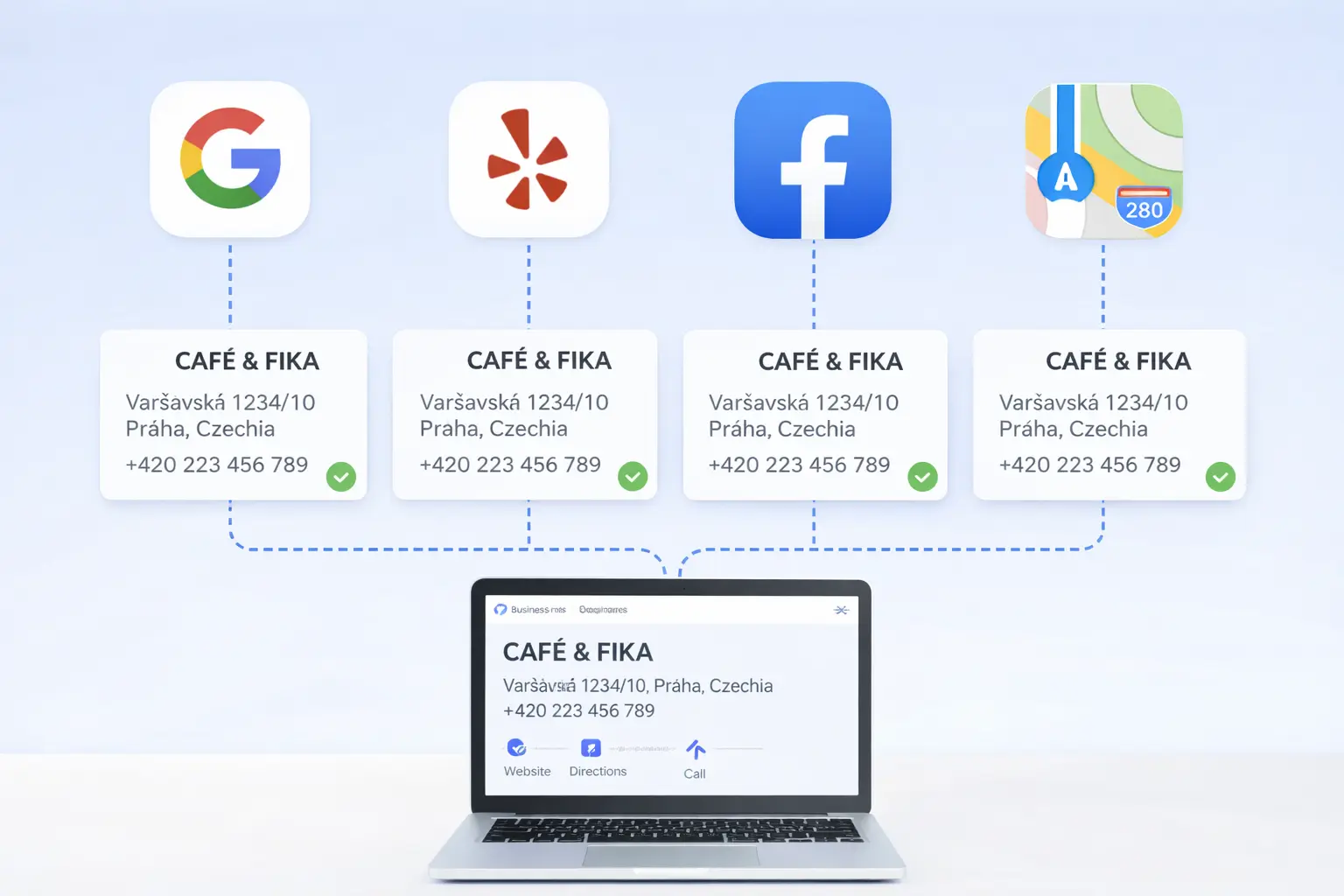
- Name, address, and phone identical on the site and in Maps
- Same details on Firmy.cz and Mapy.cz
- Reviews shown or linked on the site
- A page or section per location if you have more than one
More detail on this side of things is in our local SEO guide for Prague.
Before You Launch
- Open every page on a real phone using mobile data
- Tap every phone number and check it dials
- Submit every form and confirm the email arrives
- Check hours and prices are current
- Ask someone outside your business to find your booking button in five seconds
Content Preparation Before Design Starts
A website project moves faster when the business information is settled first. Gather the final business name, address, phone, email, company identification details, opening hours, holiday exceptions, service area, languages, payment methods, accessibility information, and links to every active booking or delivery platform.
Next, prepare a single approved list of services and prices. If pricing varies, explain what affects it and give a starting price or example. Customers usually accept complexity when it is explained; an empty “contact us for pricing” message creates uncertainty.
Create a photo list rather than sending an unorganized folder. Include:
- One strong exterior image that helps people recognize the entrance
- Wide interior photographs showing the atmosphere
- Close-ups of products, dishes, equipment, or completed work
- Natural team portraits with names and roles
- Details that answer practical questions, such as seating, changing rooms, or accessibility
Write down the ten questions customers ask most often by phone or message. Their answers should shape page content and FAQs. This makes the site useful instead of merely attractive.
Homepage Detail Checklist
The homepage must orient a visitor quickly, but it also needs enough evidence to support a decision.
First screen
- Plain-language heading naming the service and Prague area
- A short statement of the main benefit or differentiator
- One primary action with a specific label
- Immediate proof such as rating, years operating, or a recognizable client—only when accurate
- No large pop-up covering the content on arrival
Middle of the page
- The main services or categories with links to more detail
- Real images with descriptive alternative text
- Selected reviews with a link to the original review platform where appropriate
- Practical differentiators such as languages, location, experience, or specialist equipment
- A short explanation of what happens after a customer contacts or books
End of the page
- Repeated booking, call, or enquiry action
- Address, hours, transport information, and map link
- Links to privacy terms and company details
- Links to important service pages
The homepage should not contain every detail. It should help each visitor choose the next relevant page.
Service and Pricing Page Detail Checklist
Give each significant service enough room to answer intent. Explain who it is for, what is included, how long it takes, what it costs, and what the customer needs to prepare. Use the words customers use, not only internal industry terminology.
For a restaurant, that means readable menus in page text or an accessible document, not only photographs. For a salon, show duration and starting price. For a gym, separate memberships from drop-in visits and explain trial options. For a tradesperson, explain the service area, emergency availability, and quote process.
If you are deciding how much this scope should cost, compare it with the ranges in our Prague website pricing guide.
Trust and Legal Checklist
Trust is built through consistent small details:
- Legal business name and identification number where required
- Privacy policy explaining form and analytics data
- Terms for purchases, bookings, cancellations, or refunds when relevant
- Consent wording that is understandable rather than preselected
- Secure connection on every page
- Named contact method for privacy requests
- Copyright permission for every image, logo, and review used
Do not copy legal pages from another company. The tools, forms, and data practices may differ. Use professional legal advice where the business carries material regulatory or contractual risk.
Mobile Usability Checklist
Test with one hand on a normal phone. Important controls should not be tiny or pressed against each other. Text should remain readable without zooming, forms should use appropriate keyboard types, and error messages should explain exactly what needs correction.
Check these tasks from start to finish:
- Call the business from the phone link.
- Open directions in the preferred map application.
- Submit the shortest enquiry form.
- Complete a booking or reservation.
- Switch language and repeat the main action.
- Close the cookie notice without accidentally tapping something behind it.
- Return to the previous page without losing progress.
A mobile test should use cellular data at least once. Office Wi-Fi can hide oversized images and slow external tools. If the current site fails several of these checks, review the signs that a Prague business needs a new website before choosing between repair and replacement.
Search and Google Maps Checklist
The website and business profile should reinforce each other. Link the profile to the most useful page, usually the homepage or a dedicated location page. Match the business name, address, and phone exactly. Keep normal and holiday hours aligned.
Each page needs a descriptive title and summary. A service page should name the service and relevant location naturally. Avoid repeating the same title across every page. Add structured business information so search engines can identify the organization, location, hours, and contact details.
For the broader process, follow the complete Google Maps ranking guide for Prague. If the listing is missing entirely, use the Google Maps troubleshooting guide first.
Accessibility Checklist
Accessibility improvements also make the site easier for customers using a small screen, bright sunlight, temporary injuries, or slow connections.
- Every meaningful image has useful alternative text
- Decorative images do not receive distracting descriptions
- Headings follow a logical order
- Buttons and links clearly state their destination or action
- Text has sufficient contrast against its background
- Forms have visible labels, instructions, and errors
- The full site can be used with a keyboard
- Video includes captions when speech matters
- Motion can be reduced and does not block use
Do not rely on automated scores alone. Try navigating without a mouse and ask real people to complete common tasks.
Launch-Day Checklist
A polished preview is not a completed launch. Before changing the domain, save the old site and export a list of its page addresses. Prepare redirects for pages being removed or renamed. Confirm who can access the domain, website, analytics, search tools, and business profile.
Immediately before launch:
- Freeze content changes briefly so nothing is missed
- Back up the current site
- Test the contact destination and email delivery
- Check the page title and description on every important page
- Confirm the favicon and social-sharing title
- Test the 404 page and redirects
- Verify analytics without recording unnecessary personal data
- Check the sitemap and instructions for search crawlers
Immediately after launch, repeat phone, form, booking, map, and language tests on the public domain.
The First 30 Days After Launch
Check forms daily during the first week. Review analytics for unusual exits, missing pages, or a sudden traffic decline. Search for the brand name and verify that the correct pages appear. Update external directory links if page addresses changed.
Ask staff what customers are still unable to find. These questions often reveal more useful improvements than a general request for feedback. Correct small errors quickly, but collect subjective design requests before changing the layout repeatedly.
After 30 days, compare calls, bookings, form submissions, and directions with the previous period. Traffic alone is not the goal; the website should produce more qualified actions and fewer repetitive questions.
Frequently Asked Questions
How many pages does a small business website need?
Usually four to six: home, services or menu, about, contact, and one or two local pages. More pages are not better unless each one answers a real question.
Do I need a blog?
Only if you will publish consistently. An abandoned blog with three posts from 2024 looks worse than no blog.
Does the website or the Google listing matter more?
For discovery, the Google listing. For converting that visitor into a booking, the website. You need both, and they need to agree with each other.
Want Us to Run This Checklist For You?
Request a free audit and we will go through every item on your current site and send you the list of what is missing.
Sources
- BrightLocal — Local SEO statistics (search behaviour, reviews, mobile use)
- Google Search Central — local business structured data
- Google web.dev — Core Web Vitals